Take a look at some of the learning experiences I’ve designed, with samples spanning onboarding, training, and performance support.
Redesign Example
This redesign project focused on consolidating key ideas from a series of lectures into a single, cohesive handout that leaders could easily reference during morning meetings.
The Challenge: Each lecture originally ended with a brief “morning thought,” but these insights were spread across multiple slide decks, making them difficult to access and apply consistently.
The Solution:The redesigned document brings all of those morning thoughts together into one streamlined resource, allowing leaders to quickly reinforce core messages, spark meaningful discussion, and maintain continuity in daily team communication.
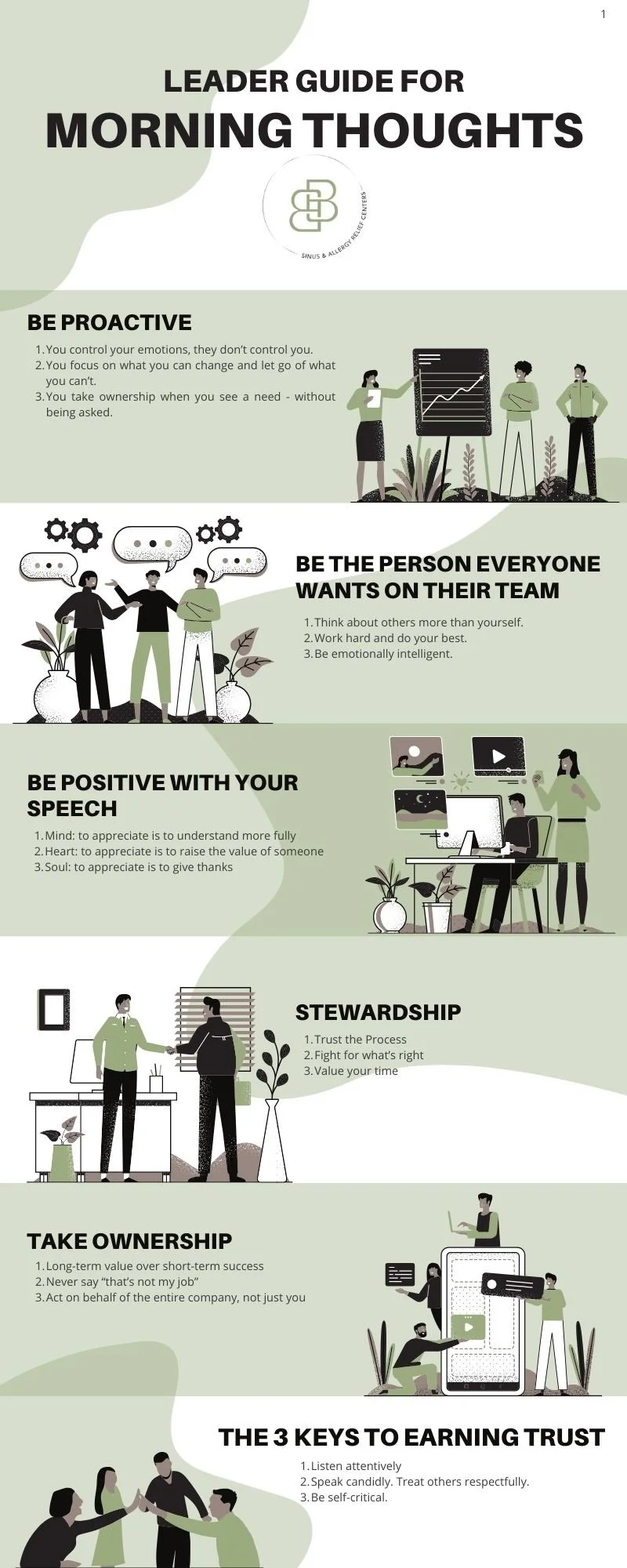
Before
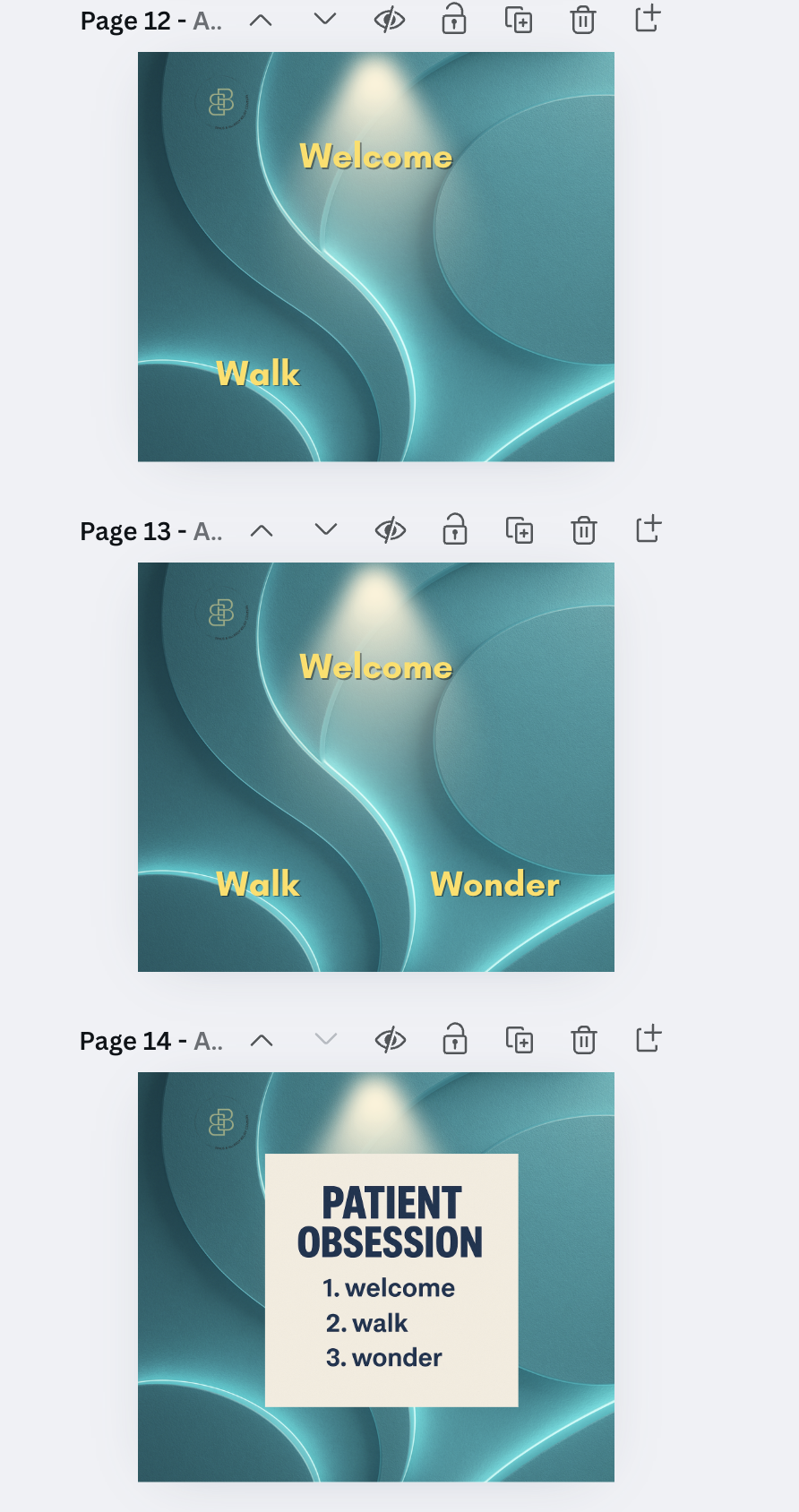
After
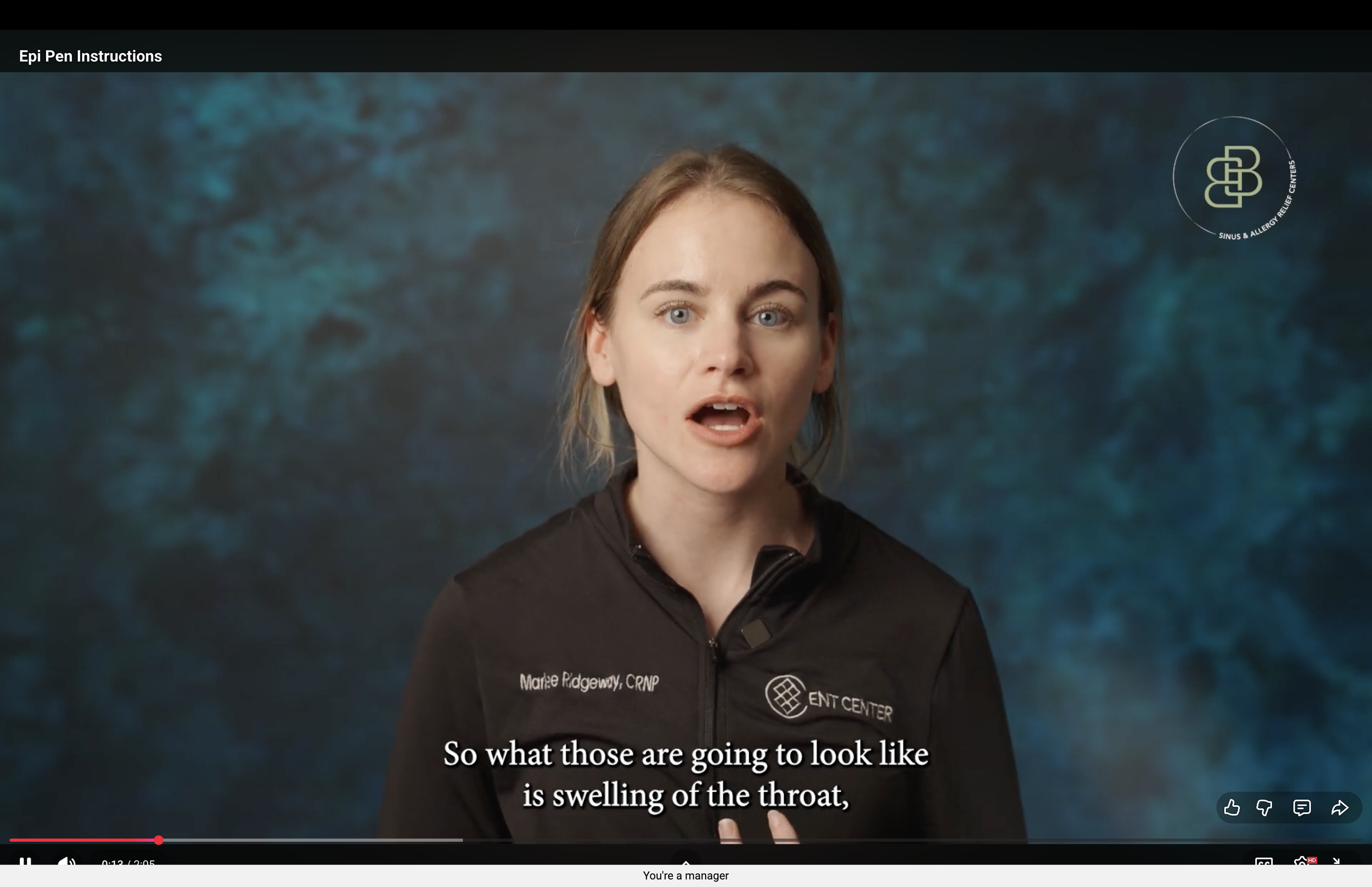
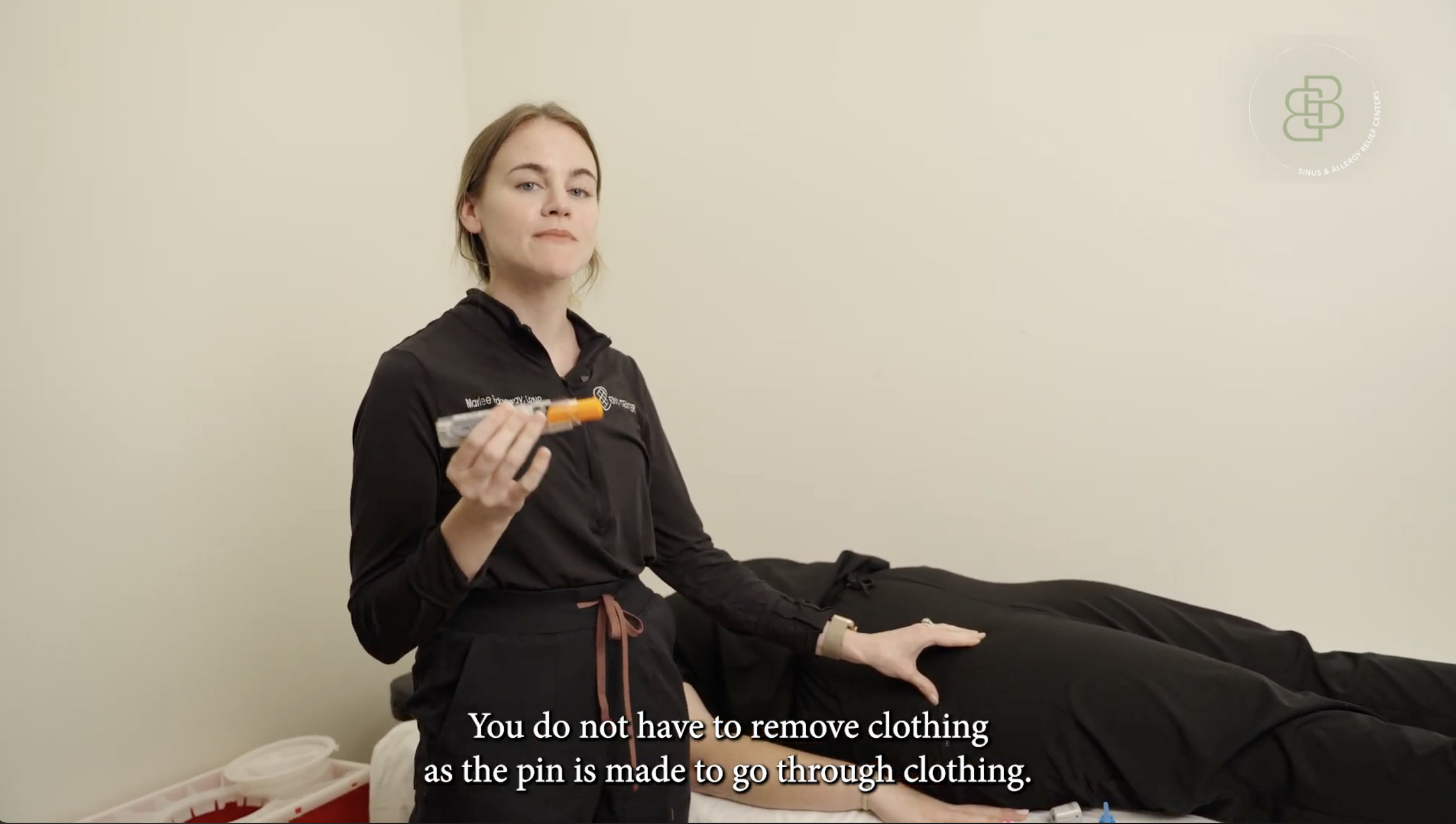
Goal: This project was designed to train nursing staff on the proper administration of an Epi-Pen in a clear, confident, and repeatable way.
My Process:
I collaborated closely with subject matter experts (SMEs) to ensure medical accuracy and alignment with clinical best practices, translating their expertise into an instructional script that emphasized clarity, safety, and real-world application.
From there, I planned the production by storyboarding each step of the process, identifying key moments that required visual reinforcement, and structuring the content to support quick comprehension in a clinical setting.
Finally, I led the video shoot and post-production process, capturing and editing footage to highlight critical actions, reinforce correct technique, and reduce cognitive overload.
Due to patient safety considerations and internal use policies, the full training video cannot be publicly shared. A representative screenshot is included to demonstrate the visual style, instructional approach, and production quality of the final deliverable.
Job Aid Example
This onboarding course was designed in Rise 360 for a fictional company, Wildfire Production Company, to support a new videographer joining a production team. The course introduces company expectations, workflows, and production standards while guiding learners through key processes they would encounter on the job. Designed with clarity and engagement in mind, the experience uses concise content, visual examples, and structured navigation to help new hires quickly understand their role, build confidence, and transition smoothly into the production environment.
Learning Brief — Wildfire Production Videographer Onboarding
Learning Objectives
The primary objective of this onboarding course is to prepare newly hired videographers to confidently integrate into Wildfire Production’s creative workflow. By the end of the course, learners will be able to identify Wildfire’s core values and team structure, recognize the expectations of the videographer role across different project types, follow standardized production and post-production workflows, and apply file management and editor handoff standards to ensure smooth collaboration. The course focuses on building foundational knowledge, setting clear expectations, and reducing uncertainty during a videographer’s first weeks on the job.
Desired Performance Change
Before onboarding, new videographers may understand how to shoot and edit video but lack clarity around agency-specific workflows, communication norms, and handoff expectations. After completing this course, videographers should demonstrate improved on-set preparedness, stronger alignment with creative briefs, consistent file organization, and more effective collaboration with editors and project managers. The desired performance change is a reduction in workflow friction, fewer clarification requests during post-production, and increased confidence and independence during early projects.
Workflow Context
This learning experience supports videographers working within a fast-paced creative agency environment where projects move quickly from pre-production to delivery. Learners are expected to collaborate with creative directors, producers, editors, and project managers while juggling multiple project types such as brand stories, social media ads, and event coverage. The course is designed to mirror real-world workflows, emphasizing how individual videographer decisions directly impact post-production efficiency, client satisfaction, and overall project quality.
Constraints
The course was intentionally designed as a short-form onboarding experience to respect time constraints and fit within a portfolio context. It is built in Rise 360 using modular lessons and interactive blocks rather than long-form video or extensive assessments. Because the company is fictional, all examples, branding, and assets are simulated, and no proprietary footage or internal systems are referenced. The total course duration is limited to approximately 20–25 minutes while still demonstrating instructional design best practices and multimedia integration.
Stakeholders
Key stakeholders for this learning solution include the Creative Director, who defines creative standards and storytelling expectations; the Production and Post-Production teams, who rely on consistent workflows and clean handoffs; Project Managers, who manage timelines and client communication; and new videographers, who are the primary learners. The course is designed to align these stakeholders around shared expectations, reduce miscommunication, and support consistent delivery of high-quality creative work.
Onboarding Example
Camtasia Micro Lesson
Learning Brief
Course Title: ClickHouse: A 5-Minute Overview
Delivery Format: Video-based microlearning (Camtasia Online)
Duration: ~5 minutes
1. Business Need / Problem Statement
As data volumes grow, teams are increasingly exposed to analytics platforms such as ClickHouse. However, many learners lack a foundational understanding of what ClickHouse is, what problems it solves, and when it is appropriate to use. This gap can lead to confusion during discussions, onboarding, or decision-making related to analytics tools. This learning asset addresses the need for a short, non-technical awareness overview of ClickHouse.
2. Target Audience
Non-technical or semi-technical staff
New hires or team members encountering ClickHouse for the first time
Stakeholders who need conceptual awareness, not hands-on skills
Prerequisites: None
3. Learning Goal
To provide learners with a high-level understanding of ClickHouse so they can recognize its purpose, benefits, and common use cases within an analytics ecosystem.
4. Learning Objectives (Bloom’s Taxonomy Aligned)
By the end of this 5-minute training, learners will be able to:
Define what ClickHouse is as an analytics database (Bloom: Remember)
Describe the primary purpose of ClickHouse (Bloom: Understand)
Identify common business use cases for ClickHouse (Bloom: Understand)
5. Instructional Strategy
Microlearning format to respect time constraints
Visual + narration approach to reduce cognitive load
Conceptual framing without technical depth or system access
Single formative knowledge check to reinforce understanding
The content is designed to support awareness-level learning, not skill application.
6. Content Overview
The learning experience includes:
A brief introduction and stated learning objectives
A high-level explanation of what ClickHouse is
A comparison between traditional databases and ClickHouse
Examples of common ClickHouse use cases
A summary of key takeaways
A one-question knowledge check
7. Delivery Method & Tools
Recording Tool: Camtasia Online (free version)
Content Source: Slide-based presentation with screen recording
Access Model: On-demand video (LMS, intranet, or shared link)
8. Assessment & Evaluation
Formative Assessment: One multiple-choice knowledge check at the end of the video
Success Criteria: Learners correctly identify ClickHouse’s primary use case
Optional Evaluation: Post-video feedback or completion tracking
This level of evaluation is appropriate for a short awareness-focused learning asset.
9. ADDIE Model Alignment
Analysis: Identified need for quick, high-level understanding; limited time and no system access
Design: Defined clear objectives, microlearning format, and assessment approach
Development: Created slides, narration script, and screen-recorded video
Implementation: Delivered as a short on-demand video
Evaluation: Knowledge check and learner feedback
10. Constraints & Assumptions
No access to ClickHouse software
Limited learner time (~5 minutes)
Training is informational, not hands-on
11. Expected Outcome
After completing this learning, learners will have a shared vocabulary and baseline understanding of ClickHouse, enabling more informed conversations and smoother onboarding into analytics-related discussions